
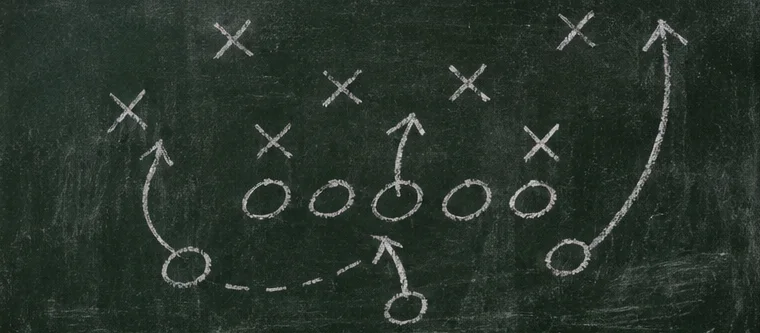
Sales funnel basics start with a route you can draw. A funnel is the path someone can take from finding you to taking a later action. A helpful free gift can be the first step. A small offer may be the next, with a more involved offer available later. Each step should serve a clear need and give the reader a choice.
Sales funnel basics: Draw the whole route
Write the steps in the order a real person sees them. One example is public tutorial, capture page, confirmation email, free checklist, welcome email and optional offer. A capture page collects email sign-ups through a form. A confirmation email checks that the subscriber meant to join. Draw an arrow between each pair and put the expected action on the arrow.
Give each step a job. The tutorial helps solve a problem. The capture page names the free gift and says what emails will follow. The confirmation message verifies permission. The welcome email delivers the file. The offer gives someone a chance to go further if it fits. A person should be able to benefit at any stage they choose.
Design the free gift to help on its own
Think of something a beginner can use in one sitting. A free event sign checklist might cover size, location and what information the sign needs. The reader can use that checklist even if they never buy a template. The gift also shows how you explain the task and lets them decide whether your approach fits.
Use a short description that matches the file. Put it beside the form with an explanation of what future email may contain. Then put the download link near the top of the welcome message. A subscriber who can open the file and finish the first step has a reason to pay attention to another useful email. Take that opportunity to teach something closely related.
Give the small offer a clear boundary
A small offer solves a defined problem with a modest commitment of money, time or effort. A pack of ready-to-edit event sign templates could help someone who knows what to print and wants a faster layout. Describe the files, whether they can edit them and how they receive them. Give a sample that makes the difference between the free checklist and the paid materials easy to see.
If the small offer is an affiliate recommendation, explain the relationship before the link and give the reader enough information to judge fit. The FTC’s endorsement guidance explains how a visible disclosure helps readers evaluate a recommendation. If the offer is yours, say what is included and make support and refund terms easy to find. Check local obligations before selling.
Give the bigger offer a different job
A bigger offer asks for more commitment and should solve a larger or more involved problem. An event organiser might want you to prepare all their signage and check the files before printing. Spell out what they provide, what you deliver, when they can give feedback and what is outside the work. Show who already has enough with the smaller option.
There is room for a stopping point. A visitor may only need the checklist. A buyer may be happy editing the templates themselves. Give them a useful next action appropriate to the stage they reached. Make the larger offer easy to find when they need it and easy to pass on when they don’t.
Build a bridge when the offer needs context
A bridge page is an intermediate page that explains why an offer fits before sending the reader to an outside seller. Start with the problem. Say what you tried, who it suits and one real limitation. Give an example of how the tool helps with the task. Include a clear commission disclosure when relevant, then add a link to the seller’s current details.
The page should work on a phone and should lead where it says. Test the first and second links. If the seller changes the offer, revisit the bridge page so your description matches the destination. In a short welcome email, a plain recommendation and disclosure may provide enough context on their own. Choose the amount of explanation a reader needs for this decision.
Test the route as a new visitor
- Start with the public page or post that sends traffic. Follow the actual link a reader will see.
- Request the gift from a private browser tab and use a fresh test address.
- Read the thank-you page and open the confirmation email. Follow the confirmation link and wait for the welcome message.
- Open the resource from the email and complete the first step. Check any link to the small offer and read its current details.
- Verify the point where someone can contact you or learn about the larger offer. Test the unsubscribe link from the email.
Record what you expected and what actually happened. A list that already recognises your address may skip confirmation, so use a fresh test. If your resource lives in private storage, open it while signed out. A single working route gives you a baseline you can retest after edits.
Read the early numbers in the right order
Compare visits, form submissions, confirmations and offer clicks for the same period. A conversion is the action you wanted at a step. A conversion rate is the share of the defined group that completed it. Specify which group you are using before comparing a percentage. A tiny sample is enough to show a broken link and often too small to explain a preference.
Find the first point where something needs checking. If people submit but confirmation fails in your own test, fix the email handoff. If the first message gets replies saying the resource cannot open, check sharing. If people use the gift but rarely visit an offer, ask whether the offer solves their next real problem. Make one change and write down when you made it.
Common fouls in a first funnel
- Giving the first page several competing jobs.
- Requiring people to buy something before they can use the promised free gift.
- Selling a bigger package with the same description as the small one.
- Assuming an offer click is a purchase.
- Adding paid traffic before testing the route.
Use a field sheet to keep the offers distinct
Draw three columns for Free, Small and Bigger. Under each, write the reader’s situation, what they receive and the next decision. With the event signage example, the free column answers what a sign needs. The small column helps someone lay it out themselves. The bigger column describes a done-for-you set of files and a handoff with a printer. If two columns contain the same result, decide what extra work or time the larger one actually covers.
Now write a “right for you if” sentence for each. The small offer may fit someone who has their details ready and can edit a template. The larger offer may fit someone who has several signs to coordinate and wants someone to check the files. A small offer buyer should still get the complete item described. Give them time to use it and let the next offer make sense when its problem arises.
Match a follow-up to the step someone took
A person who downloaded a free worksheet may need a concrete example before they want another resource. Send a short message showing the worksheet used for a real kind of task with fictional details. A person who bought a template may need opening and editing instructions before hearing about a bigger package. Write the instructions for the action they already took. Put a future offer after that help if it fits the situation and the person has agreed to receive it.
Use a test record that includes both happy paths and exits. What happens if a person enters the wrong address? What does an unsubscribed test contact receive? Can someone get the free download and leave? Can a reader check terms before buying? Run these checks from the same device you expect your reader to use. Mark each result with a date. If your tool requires a different setup for one route, write that down in the place you will look before the next change.
After the first review, decide whether to improve delivery or add an offer. If the free delivery is still unreliable, repair it first. If it works and readers repeatedly ask for a closely related task, describe a small offer that addresses that request and get feedback on the description before building it.
FAQ
Do I need all three offers on day one?
Start with the free gift and its delivery. Add a paid step after you have a clear fit and can describe what the buyer receives.
Can the small offer be an affiliate link?
Yes, when the program allows that placement and you clearly disclose your relationship. The offer should solve the next problem the reader actually has.
What is the difference between a funnel and a website?
A website may have many pages and purposes. A funnel is one route a visitor can take toward a specific action.