Shiny object syndrome is the habit of switching to a new tool, course or idea whenever the current work gets uncomfortable or slow. It can leave you with a full bookmarks folder and several projects that never reached a reader. Give the current project a finish line and give new ideas a place to wait.
Catch shiny object syndrome at the moment it starts
Notice what happens right before you switch. You might be trying to fix a confirmation message and see a video about another platform. You might be writing a first offer and decide you need a course on pricing. Write the task you were doing and the problem you hit. Then state what the new thing would have to solve.
The point is to tell a real obstacle from a tempting detour. A service that can’t deliver your required file may be a real obstacle. A different template may only feel more interesting than testing the one you built. Try the simplest check first. Read the help page, send a fresh test or ask someone to show you the exact screen. Save what you learned.
Make a parking list for new ideas
- Create a note called “Later.” Put new tools, courses and ideas in it with the date.
- Beside each entry write the current problem it might solve and what you would need to check.
- Schedule a review time. Keep the note closed during a working block unless you need to add a line.
- At the review, check what has changed. Keep ideas that serve the current finish line and leave the rest parked.
If a purchase comes with pressure to act immediately, save the sales page address and check the facts first. The FTC’s coaching scam guidance discusses guaranteed income and pressure as reasons to slow down. Read current terms, refund rules and what is included. If a free lesson or official help page handles the task, use it before committing to something larger.
Define one project a person can see
A finish line names the thing you’ll have at the end. “Publish and test a form that sends the packing checklist” is a project. “Get into email marketing” could go on for years. Write the finish line where you open the project and decide which work belongs in the first version. Save other ideas in the parking note.
Put a date on the first test with a real person. The test might be a friend opening your form from a phone or a reader following one step in a tutorial. Give them a question they can answer. Take their feedback as evidence about the artifact in front of them. It may reveal a problem that a course catalogue could never predict.
Use a simple rule for purchases
Before buying, answer four questions. What precise task is blocked? Which free or existing resource did you try? What will you use from the purchase this week? When will you check whether it helped? If you cannot answer, save the link and keep working until the need is clear. If the tool has a trial, write what you will test during it and check the terms before starting.
Include the time to learn the new tool. Moving platforms can involve recreating pages, retesting email and updating links. Moving a course into your schedule can take time away from the work it is meant to improve. Compare the cost and time with the simplest fix you can try today. Decide from the current project, not the excitement of a new dashboard.
Work through a realistic detour
Imagine you have written a welcome email, but the subscriber never gets it. A comparison video makes another provider look easier. Before switching, record which step fails. Submit with a fresh test address. Check whether the confirmation arrived. Look up the automation settings for your list. If it was connected to a different list, move it and retest.
Suppose you verify that the plan really cannot send the message you need. That’s a specific requirement you can compare. Write it down, check the official terms for two providers and test the exact task on the one that fits. Your new tool is now serving an observed problem. Keep the current files and links until the new route works.
Review what you already have
List the tools and courses you opened in the last month. Beside each one, write what you used and whether you have an upcoming renewal. A resource that helps this week belongs close at hand. A course for a later stage can stay saved with a note about when you’ll need it. Keep records of cancellations and any material you’re allowed to download before changing access.
Look for useful parts in what you already own. A course may have one lesson on writing an opening paragraph. Use that lesson during the block you planned for the paragraph. Then finish the paragraph and move on. Learning earns its place when it helps you make or improve something the project needs.
Common fouls that restart the loop
- Taking new notes on a subject you could test today.
- Rebuilding a page every time you see a new layout.
- Calling a course useful before using a specific lesson.
- Treating research and a deliverable as the same kind of progress.
- Judging the project before a real person can try it.
Make a one-page project agreement with yourself
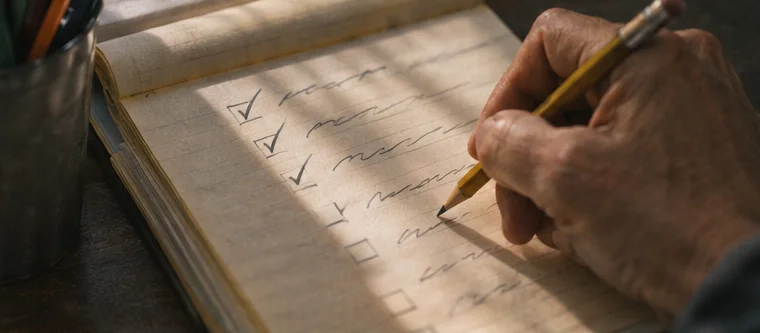
Write the project name, the person it serves, the result you want to test and the date you will review it. Add a list of the work required for the first version. For a free checklist, you need a draft, a place to host it and a way to test delivery. A new logo, a paid theme and a second newsletter can go on the parking list. Keep the agreement beside the file where you work.
Give yourself permission to change the agreement when you find concrete evidence. If your reader needs an editable sheet, a PDF might be the wrong format. A live test can show you that. Record what happened and why the new format makes sense. Keep the same audience and problem while you change the part you can verify. If you need to change the audience as well, give the new choice its own test.
Practise with a seven-day spending pause
For one week, write each purchase you consider in the parking note. Put a date next to it and write the exact job it would do. Try an existing tool or a small manual version of that job first. When the week ends, look at the list in daylight with your calendar open. Which entries still solve a problem you have? Which ones would need time you don’t have next week?
Pick one decision for each entry. You can use a resource you already own, try a verified free option, investigate a specific paid feature or leave the idea parked. If you decide to try a paid feature, set a clear test and record what you will check before renewal. A decision based on a tested requirement is easier to revisit than a purchase made while a timer was running on a sales page.
Turn unfinished work into a useful next action
Open three unfinished drafts. For each, write what a reader could use now and what is missing. Put the ones outside your current project in one folder with a short note. Keep the draft that serves your agreement and choose an action you can complete today. It might be adding an example, checking a file link or asking for a walkthrough from a friend.
At the next review, look at the difference between the last saved version and the one you started with. Write the change in one line. Progress becomes easier to see when you can point to work a person can test. Use that evidence to choose another block before you return to the parking list. If you no longer want to finish a draft, save the part you learned from and record why you’re setting it aside.
FAQ
What if the current idea is genuinely wrong?
Write the evidence that changed your mind and decide what work to keep. A deliberate change after a test is part of the process.
Can I keep learning while I build?
Yes. Use lessons that answer a current question, then apply the lesson in the same work block if you can.
When should I review the parking list?
Choose a regular time after your work review. You’ll know which tasks are still blocked and which ideas can wait.