
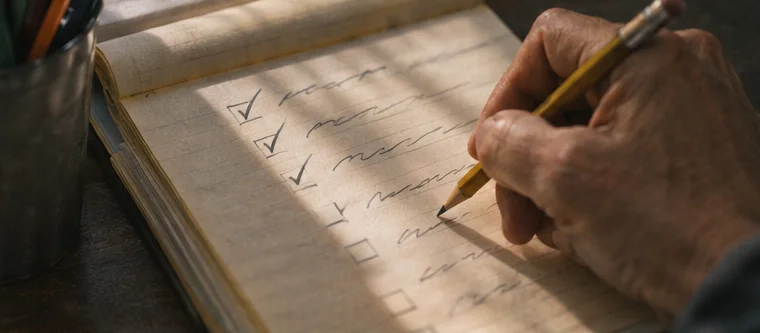
You can create a lead magnet in one afternoon with AI if you keep the promise small. A lead magnet is a free resource offered to someone who chooses to join your email list. A checklist, script or one-page plan can do the job. Use AI to draft and edit the structure, then run the instructions yourself so a reader can trust the finished resource.
Create a lead magnet for one useful moment
Start with a situation. Someone has a sign-up page open on a phone and wants to know if it works. They need a test checklist they can use now. “Build an online business” asks for a book. “Test the email form from your phone” asks for a clear page with a starting point and a finish line.
Write the reader, task and result. For example: “A first-time newsletter publisher can check that their form, confirmation email and download work.” Then list the minimum starting materials. Here those might be a published page, a phone and a spare email address. If the reader needs an account or access they don’t already have, say so at the top.
Plan the afternoon in four blocks
- Spend the first 20 minutes choosing the problem, the resource format and what “done” looks like.
- Spend the next 30 minutes drafting steps and one realistic example. Use your own notes or a source you can verify.
- Give yourself another 30 minutes to test the instructions, edit the copy and export the file.
- Use the last block to open it on a phone and ask someone else to read the first screen. Fix the highest-impact confusion you can observe.
The blocks are there to protect a finish line. If you’re still drafting after the first hour, cut the scope. Split a four-page workbook into a one-page checklist and an example. A reader can use the checklist today and come back for a longer explanation later.
Give your AI assistant a useful brief
A prompt is the instruction you give the AI tool. Provide the reader, the job, what they already have and the output you need. Try: “Draft a one-page checklist for someone testing a newsletter form from a phone. Start with what they need. Use my notes below. Give each step an action and a way to verify it. Flag missing details for me to check.” Paste only information you are permitted to share. Use made-up addresses and names in examples.
If the first answer is generic, identify the exact problem. Say “Step three assumes the reader can find the confirmation message. Add one troubleshooting line.” You can ask for two alternate ways to order the steps and pick the one that matches the real route. OpenAI and Anthropic both publish prompting guidance. Their advice on giving context and specifying a format is especially useful for this job.
Turn the draft into something a beginner can use
Check every click, label and claim. Delete tool instructions that don’t match what you see. Use words the reader can find on the screen. Introduce technical terms when needed. For example, a confirmation email asks the reader to verify that they wanted to join. Use a consistent name for the form, confirmation and welcome email so nobody has to guess which message you mean.
Add an example with invented but believable details. “Open the message from River Street Notes and click Confirm.” Give the reader a visible outcome: “The download opens on your phone without asking for another sign-in.” If you include screenshots, remove real email addresses, account IDs and other private details. Give images a caption or short description that states what to look at.
Design the file for a phone
Start with the action, then put related steps together. Use a heading for each stage, clear numbered steps and enough space between them. Export a PDF, a file format that preserves the page layout, or a plain web page if a PDF would make the steps hard to read. Test the file on a small screen at a normal reading size.
Give the file a descriptive name such as “newsletter-form-test-checklist.pdf.” Put a version date in the document or its history. Save an editable original. If the resource is a template, include one filled example and one blank copy so readers know how to start. Check that any links in the exported copy still work.
Connect it to the sign-up
Upload the finished file where the people who request it can open it. Test the link outside your own account. Write one sentence for your capture page that matches the name inside the file. A capture page collects email sign-ups through a form. Tell people what else they will receive and how they can unsubscribe.
Deliver the file in the first welcome message after confirmation. Place the link near the top. Give one action for using it. Follow your own form as a fresh subscriber and confirm on your phone. If you can open your own file only because you’re signed in, fix the sharing before giving the page to a reader.
Common fouls when using AI or licensed material
- Asking for a comprehensive guide and receiving pages of generic advice. Narrow it to one task and show an example.
- Leaving in invented interface labels or sources. Check them in the real tool or official documentation.
- Pasting private customer information into an AI assistant. Replace identifying details with fictional ones.
- Assuming private label rights allow every kind of distribution. Read the written license before editing or giving a file away.
- Counting the draft as the finished gift. Test the exported version that subscribers will open.
A sample checklist you can build today
For a signup test, start with four checkboxes. Open the live page in a private tab. Submit a fresh test address and read the next screen. Find the confirmation email and follow the link. Open the first welcome email and check the file. Leave a line under each box for the name of the page, sender or file the person actually saw.
At the bottom, add a short decision rule. If the first email is missing, check confirmation before changing the gift. If confirmation works and the file asks for a sign-in, fix the file permissions. If the file opens but the first instruction is confusing, ask someone to do it while you watch. This turns a download into a tool a beginner can use without a long explanation.
Decide whether a checklist, template or script fits
A checklist helps when the reader knows the general task and needs the steps in order. A template helps when they need a place to put their own details. A script helps when the hard part is choosing words for an email or conversation. Select the format by watching where a person stops. A reader who can describe the task but has a blank screen might benefit from a filled template more than another explanation.
For the newsletter example, make a worksheet with three columns for the expected screen, the actual result and a fix. Give one completed row. “Expected: confirmation screen. Actual: redirected to the homepage. Fix: update the redirect in the form settings.” Leave the next rows blank. Now a reader can record evidence rather than simply reading a list of possible problems.
Ask for a review you can act on
Send the gift to one person who fits the use case and ask them to start at the top. Give them one question: “Which line makes you pause?” If they already know the tool, ask them to point to a word a beginner might not recognise. Watch what they do before explaining it. If the test is remote, ask them to reply with the step number and what they expected to see.
Review your draft against a small checklist of your own. Can someone tell what they need before starting? Is the first instruction a single action? Are the tool labels current? Can someone read it on a phone? Does the last line say how to tell whether the job is complete? Fix the first issue that prevents use. Then test the exported version again so the reader receives the same thing you checked.
Put the editable source, public file and release date in one folder. If the resource includes a link that could change, make a note to review it. When someone asks about a missing step, add the explanation to the source and replace the delivered file after testing it.
FAQ
Do I need a paid AI plan?
Use the access you already have. A short draft, your own notes and a careful edit are enough for the first version.
Can I use licensed material instead?
Yes, if the particular license allows your intended changes and distribution. Save a dated copy of the terms.
How long should the gift be?
Make it long enough to finish the task. A useful single page can be a good fit when there is one main action.